
SUMIMOTO NexOffice
All your office work, in one place.
Schedules, attendance, workflows and files with a single account.
SUMIMOTO NexOffice is groupware for teams working in Japan. From scheduling and clocking in to requests, approvals and file sharing, it brings your everyday work onto one screen.
Why NexOffice
Today's work on one screen
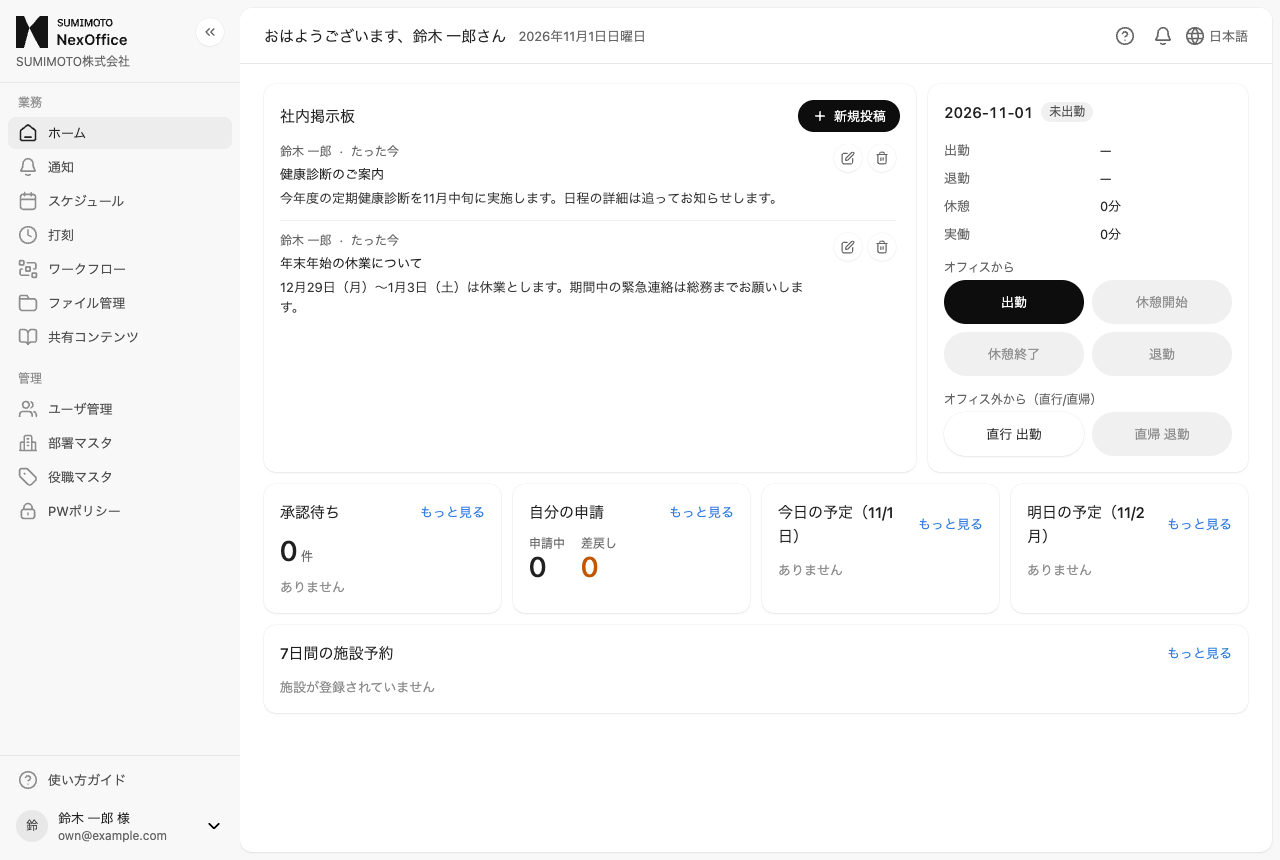
Your home screen gathers today's clock-in status, pending approvals, schedule and announcements, so nothing gets missed.
Built for Japanese labor rules
Overtime alerts at 45, 60 and 80 hours a month, monthly closing and payroll-ready CSV exports.
Japanese and Chinese
Switch the interface and user guide between Japanese and Simplified Chinese at any time, so mixed-language teams share one system.
Peace of mind for admins
Role-based permissions, login history and audit logs of every change. Accounts of departing staff can be suspended instantly.
Everyday work, together
Five features, from the company portal to attendance, requests and files, connected by one organization structure.
Home & company portal
Company-wide notices and reference materials, all in one place.
- Post announcements to the whole company
- Organize policies, manuals and useful links as shared content
- Get notified of approval requests and comments
Home shows today's clock-in status, pending approvals, today's and tomorrow's schedule, and facility bookings for the next 7 days.
Schedule
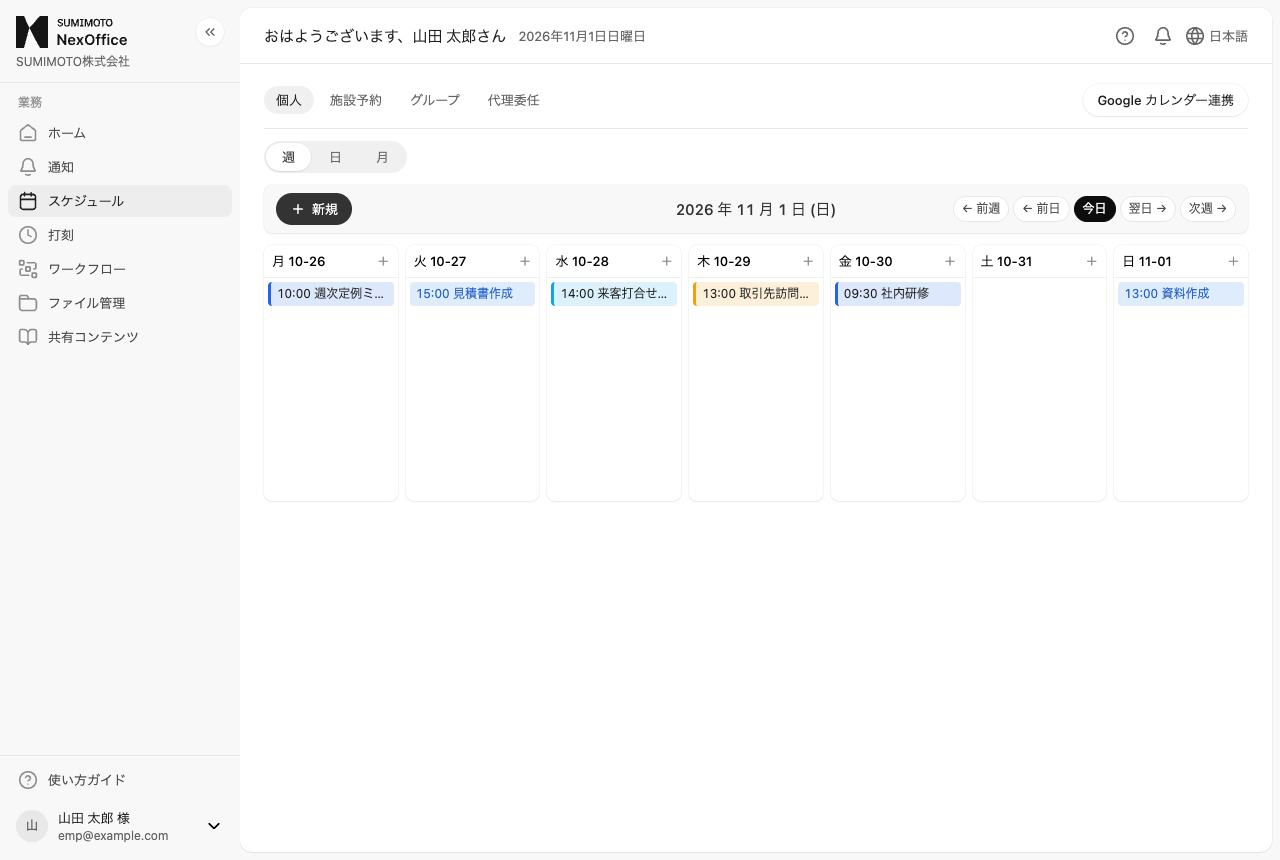
Plan meetings while seeing who and which rooms are free.
- Week, day and month views, plus your department's group view
- Book meeting rooms, equipment and company cars without double-booking
- Phone memos, proxy scheduling and Google Calendar import
When a leave request is approved, the leave is added to the schedule automatically.
Time & attendance
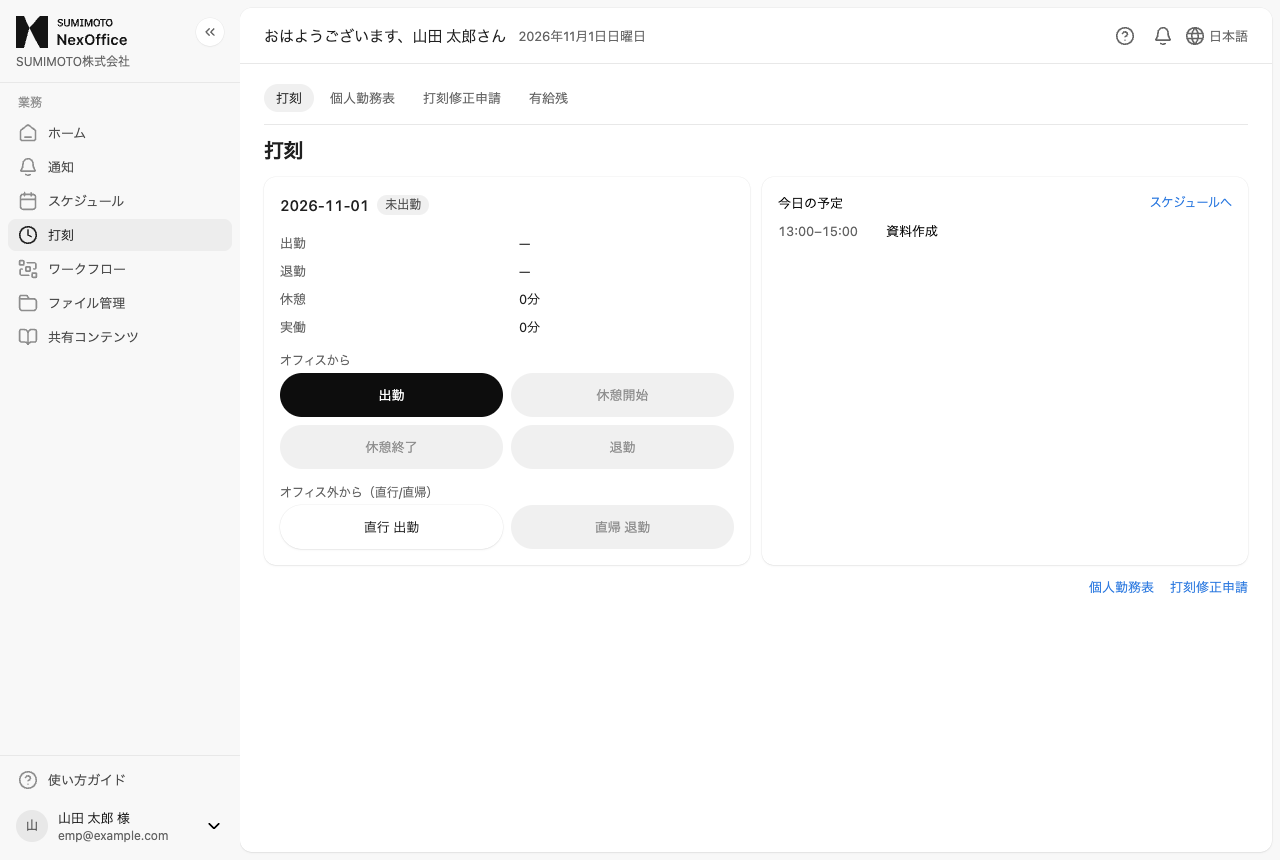
Clock in with one tap. Corrections and approvals online.
- Clock in, breaks and clock out, including direct-to-client trips
- Missed punches fixed by correction request and manager approval
- Monthly timesheets as CSV or PDF, plus bulk PDFs per department
Each company can limit which networks and hours allow clocking in. Managers and HR are alerted when overtime passes the thresholds.
Workflow
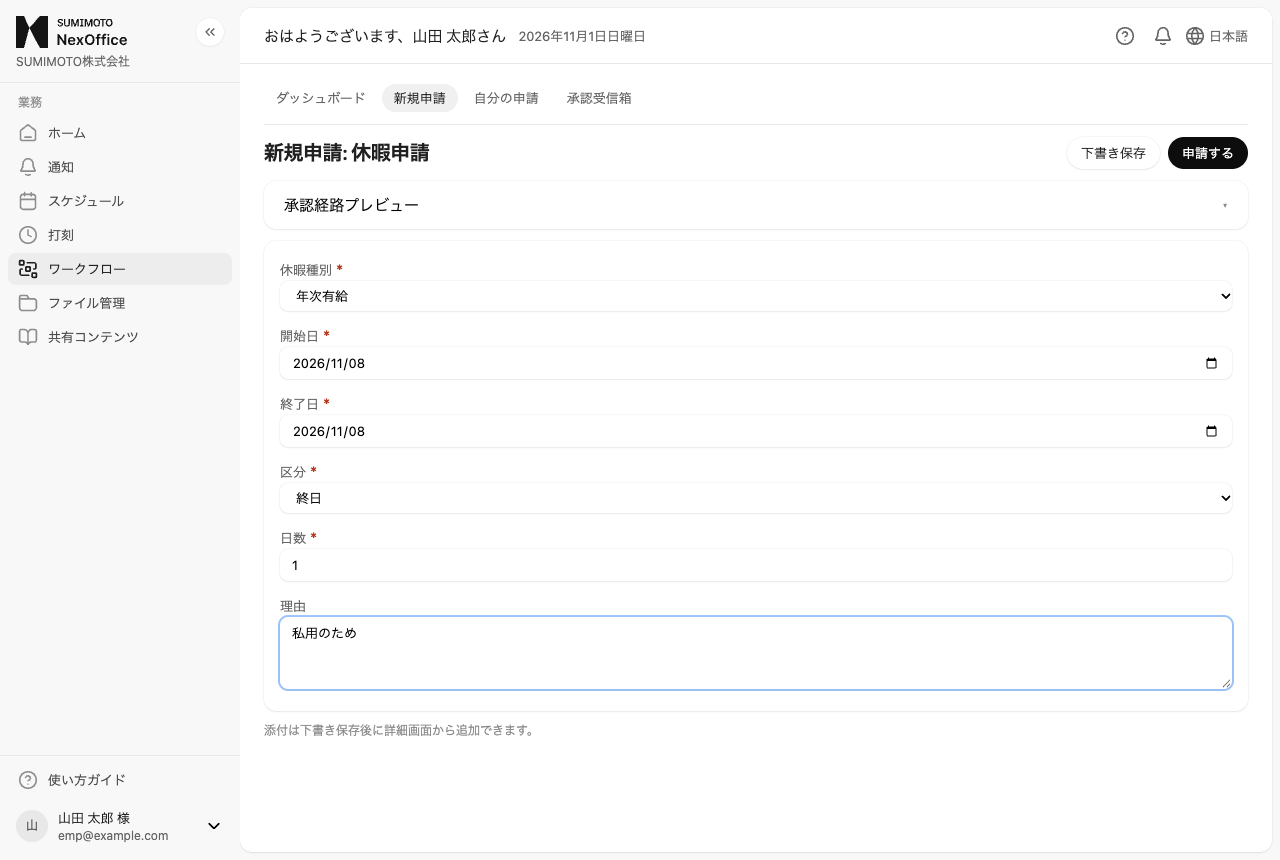
From request to approval, without paper or stamps.
- Submit leave, travel expenses and more from forms
- Preview the approval route before submitting; set routes per department
- Returns and rejections come with reasons; attach files to comments
Approval routes follow your department automatically. Delegate approvals while you are away.
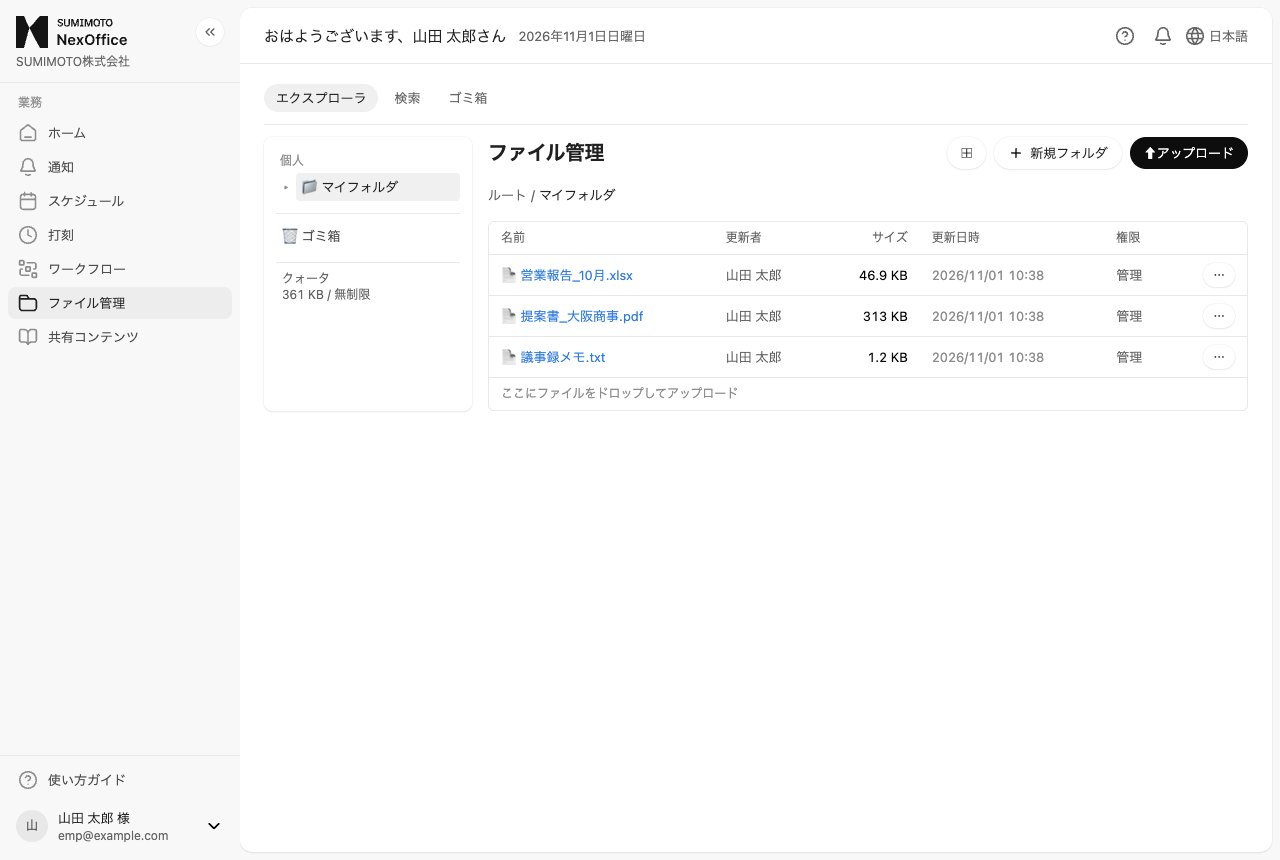
File management
Share company files securely, with permissions.
- Upload a file with the same name as a new version and restore old ones
- Folder permissions are inherited from parent folders
- Deleted files stay in the trash for 30 days
Search by file name or extension; text files can also be searched by content.
For administrators
From accounts to monthly closing and audits, HR work happens here too.
Members & permissions
Invite by email and control features by role (employee, manager, owner/HR). Grant features for a limited period when needed.
Monthly closing & payroll
Set work patterns and holidays, close each month to lock attendance, and export department timesheets as payroll CSV.
Login history & audit logs
Every login and every change is recorded, so suspicious failed logins are easy to spot.
FAQ
Which languages are supported?
The interface and user guide are available in Japanese and Simplified Chinese. Switch any time from the globe icon at the top right.
Can I use it on my phone?
Yes. NexOffice runs in the browser and adapts to smartphone screens. No app installation is needed.
Does it work with Google Calendar?
Connect your Google account to import events from Google Calendar into your schedule.
How do we get started?
Contact us through the inquiry form and our team will walk you through the setup.
Bring your office work together with NexOffice
For a consultation or demo, use the inquiry form. Existing users can log in here.